Write the novel. Keep the world straight.
Novelstead keeps your manuscript and your story bible in one place, linked name by name. Every character, place and fact is one click away while you write, and every word on the page is yours.
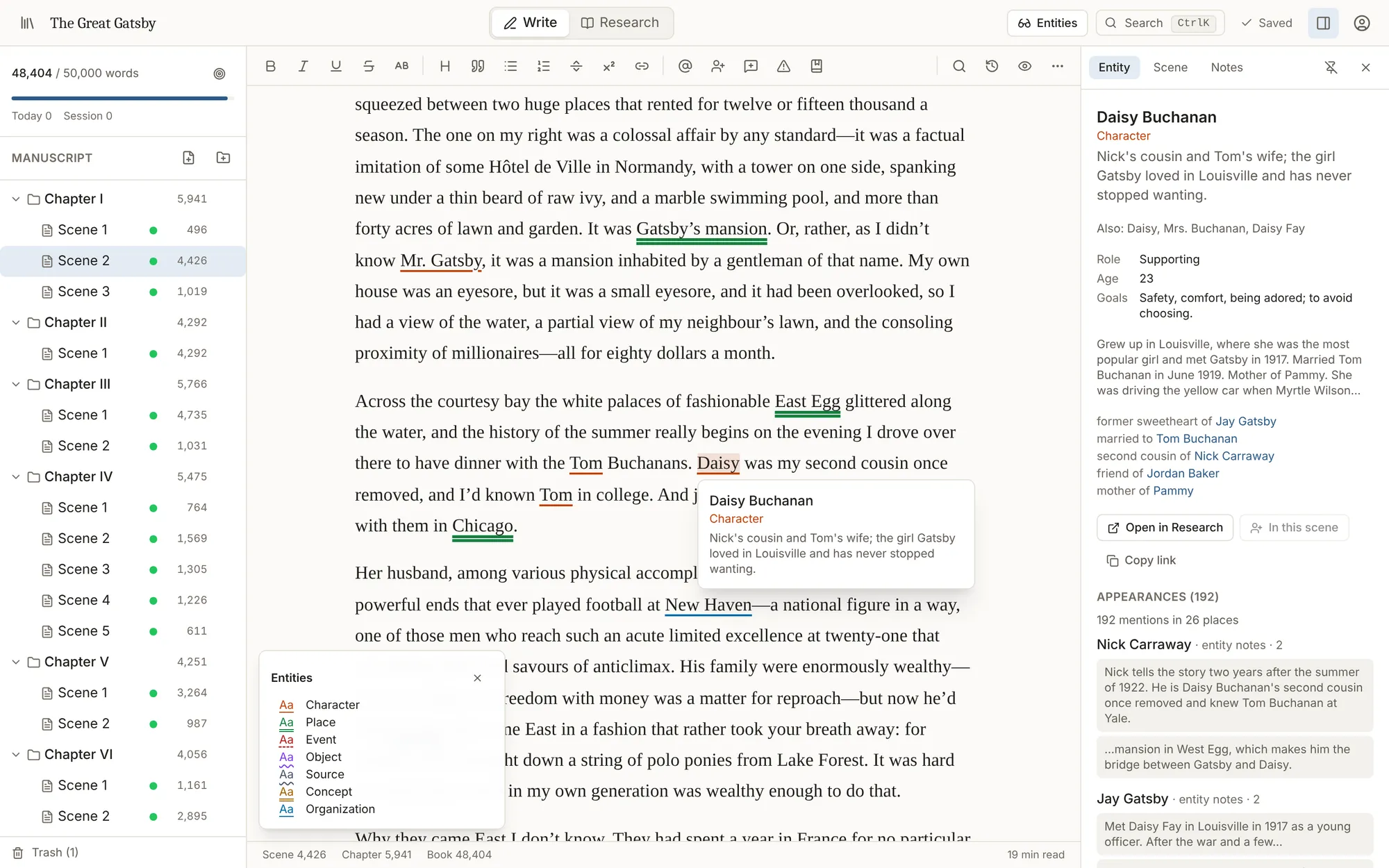
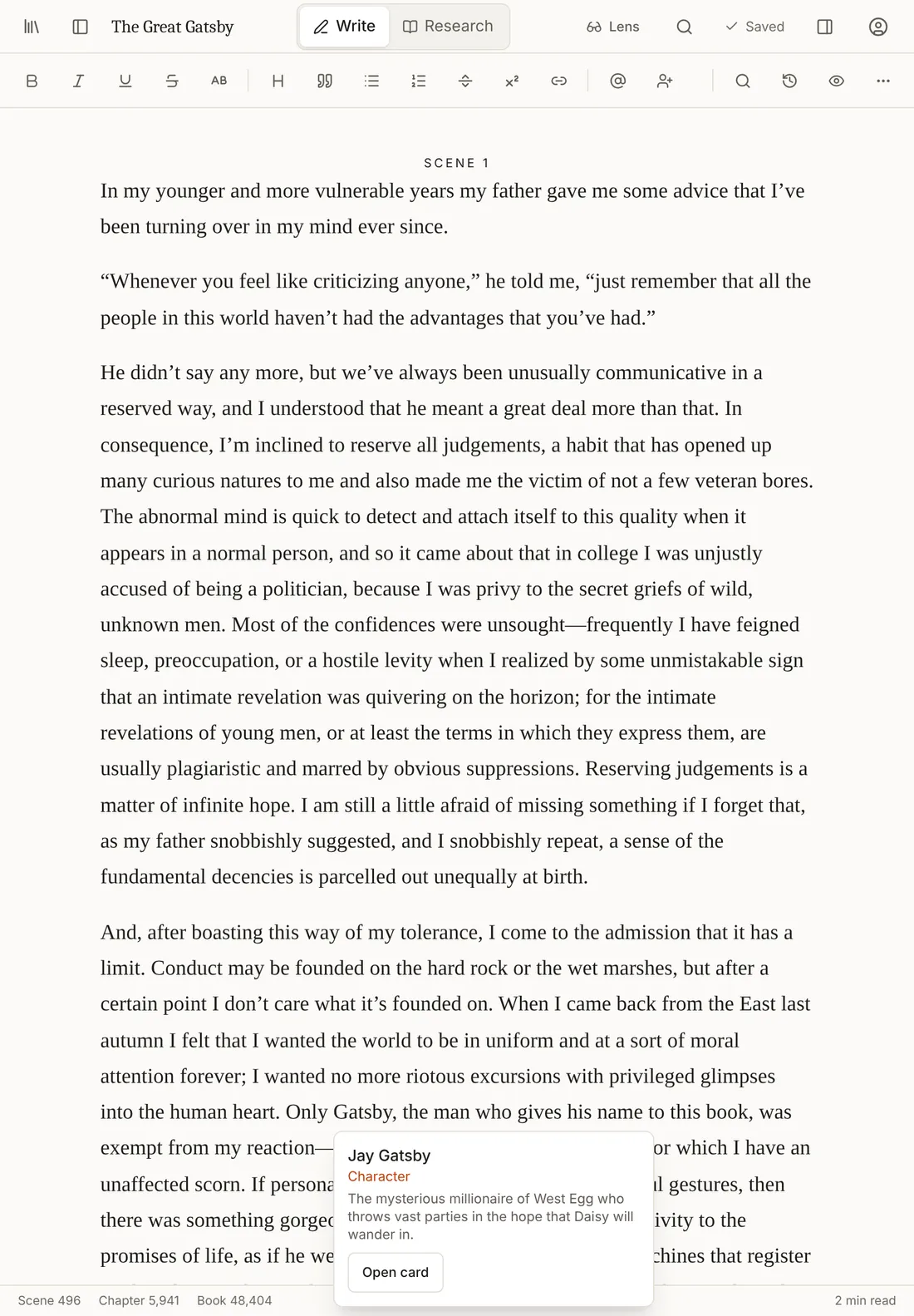
Shown with The Great Gatsby (public domain). Click any name for its card, relationships and every appearance.
Our promise
No AI. Not one feature.
Writing tools everywhere are filling up with buttons that write for you. Novelstead is built the other way round: it helps you keep track of your book and never writes a word of it.
- Nothing writes for you
No generated text, no rewrites, no “improve my writing”, no chatbot. Your voice stays your voice.
- Your pages stay yours
Your manuscript is never sent to an AI service, and never used to train one.
- Clever, not guessing
Name links come from names and nicknames you recorded. Continuity checks follow plain rules. Nothing is predicted.
- A founding rule
No AI is how the product is built, not a setting you have to find and switch off.
A story bible that knows your book
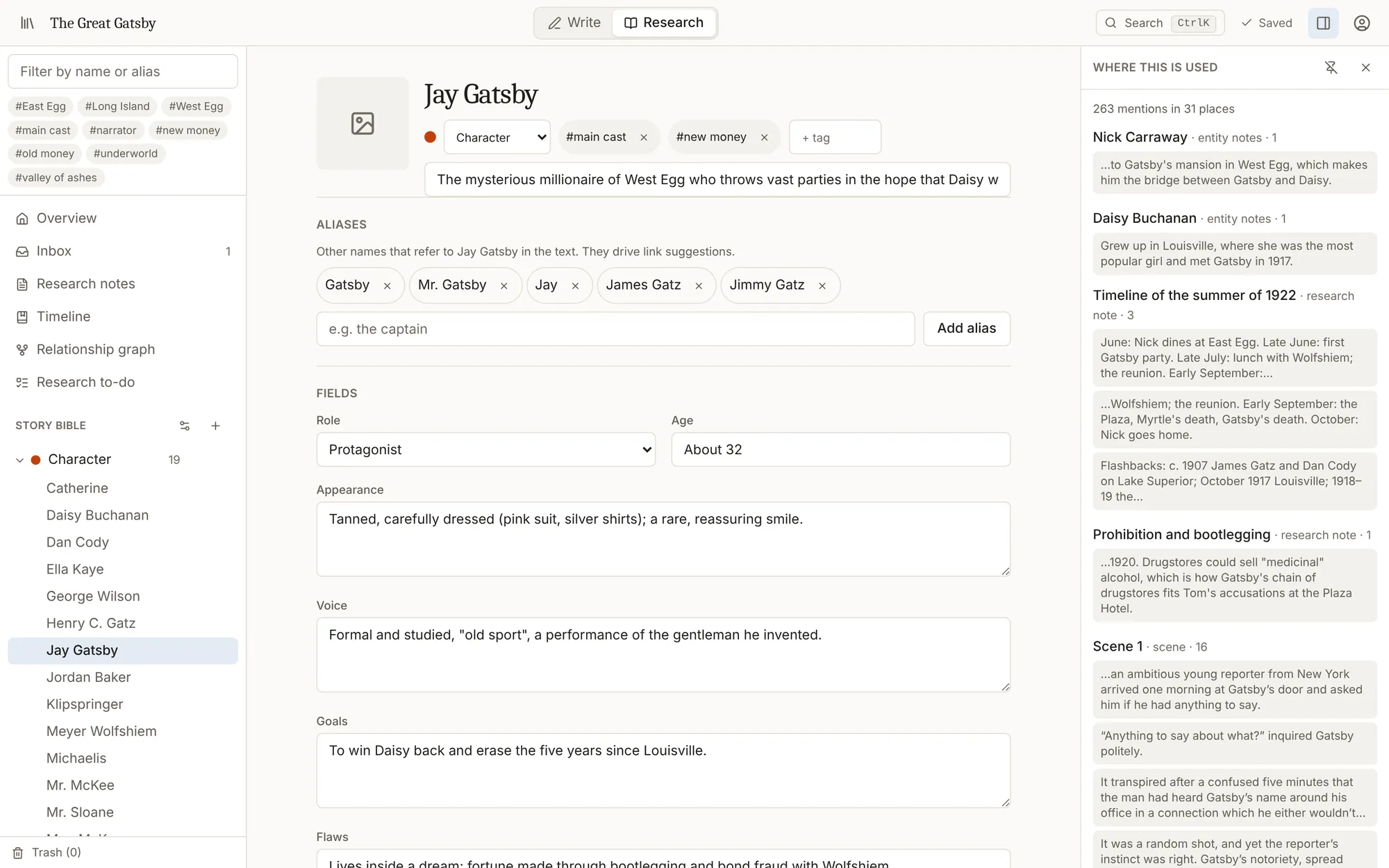
Every character, place, object and event gets its own page: fields, nicknames, relationships, facts, notes and images. And because your manuscript is linked, each page lists every scene where that name appears.
- • Characters, places, objects, events, organizations, concepts and sources, or your own types
- • Relationships in both directions: “married to”, “mentor of”, “sister of”
- • Facts that change over the story, like ages, ranks or a death
See the shape of your story
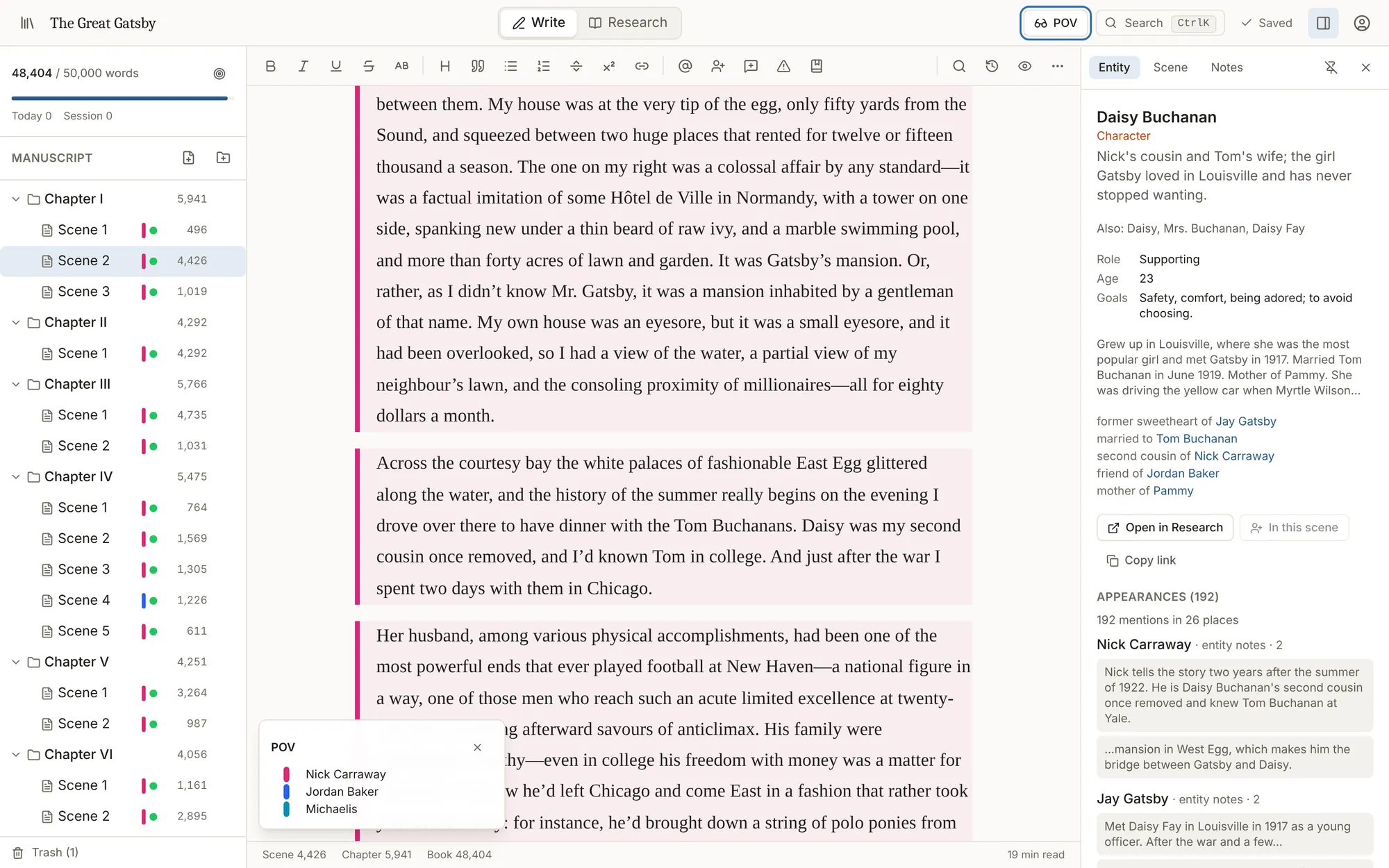
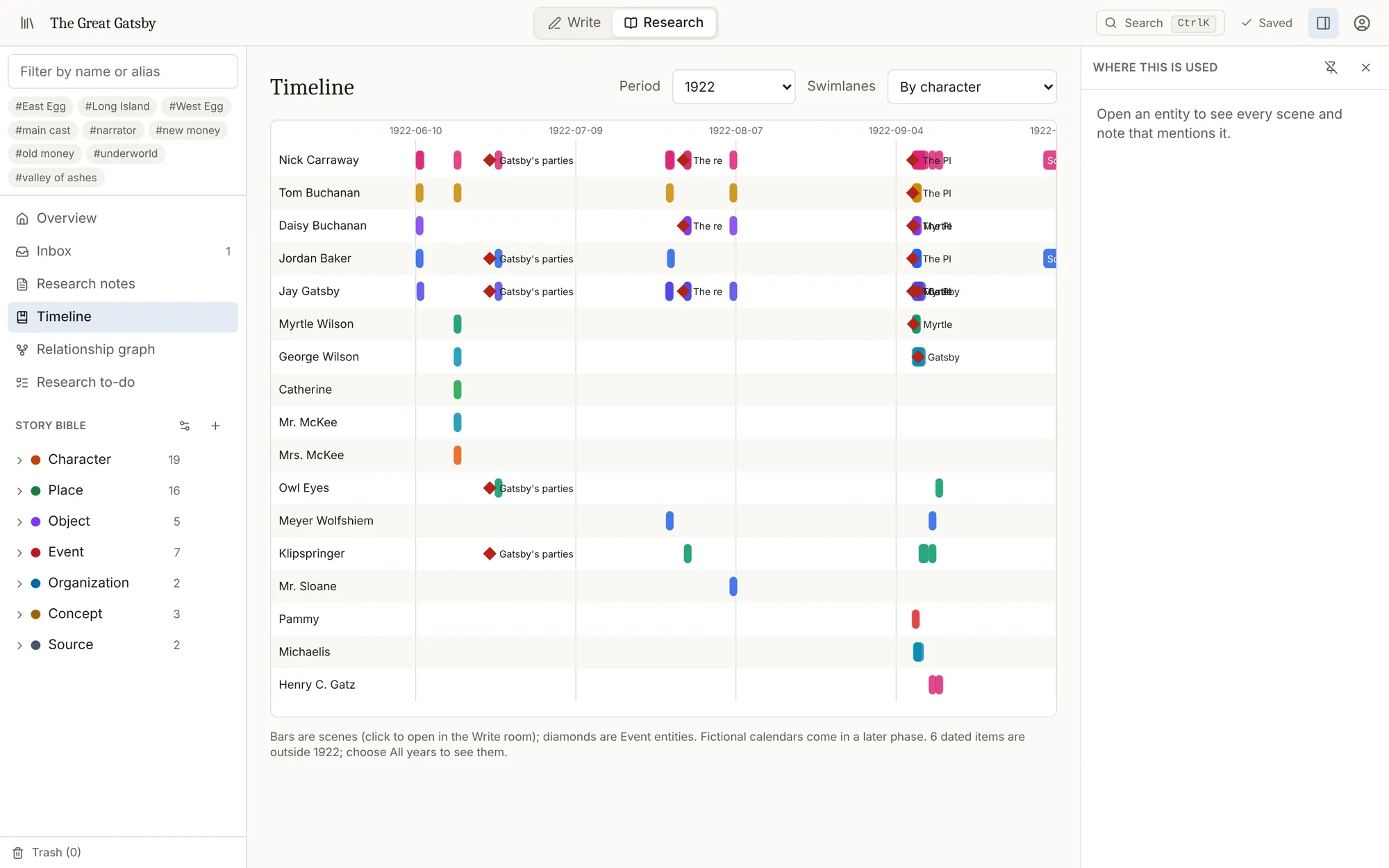
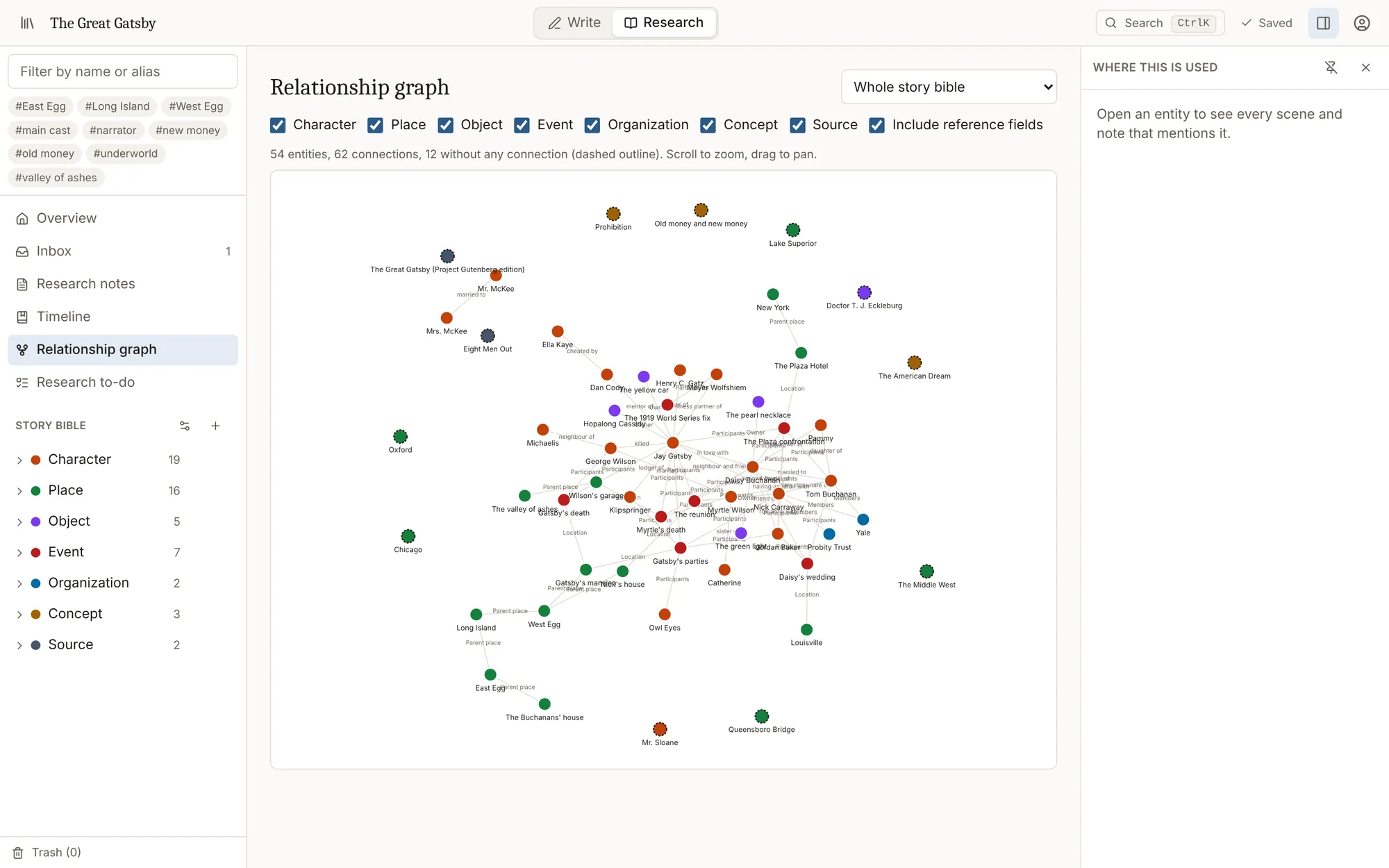
Lenses colour your draft by point of view, thread or character. The timeline puts every scene on the story calendar, and the graph shows who is connected to whom.
Everything a long book needs
Two rooms, one book
Write in one room, keep your research in the other, and flip between them without losing your place. Your cursor and scroll stay exactly where you left them.
Link names as you write
Type @ to link a character, place or object. Names and nicknames you have already recorded are picked up as you type, and you decide which ones to link.
Lenses for your draft
Light up point of view, plot threads, dialogue or every character in a scene. See at a glance whose chapter it is and which threads you have dropped.
Continuity checks
Catch a character in two places at once, a name that turns up after their death, or a fact that contradicts what you recorded earlier, with a plain explanation of why.
Timeline and relationships
Scenes and events on a story calendar, laid out by character, place or thread, and a map of how everyone in your book is connected.
Research you can trust
Flag a passage that needs checking, attach sources to factual claims, and keep notes, links and an inbox for ideas that are not filed yet.
Never lose a word
Saves every second, keeps working when your connection drops, recovers text after a crash, and keeps snapshots so you can go back to any earlier draft.
In and out, your way
Bring in a Word, EPUB, Markdown or plain-text manuscript. Export to Word, PDF, Markdown or plain text, or download a full backup of everything.
Desk or sofa
Works in your browser on a laptop or a tablet, in light or dark, with keyboard shortcuts throughout, and screen-reader friendly.
Write anywhere. Lose nothing.
On a tablet the page gets the whole screen and your research slides in when you need it. Tap a name to see who it is.
- Saved every second, with snapshots of earlier drafts you can compare and restore.
- Lose your connection and keep typing. Everything is saved when you are back.
- Opened the same scene in two windows? You are warned, and one never silently overwrites the other.
Questions
Is there really no AI in it?
None. Novelstead has no AI writing, rewriting, suggestions, summaries or chat. Nothing in it generates text, and your manuscript is never sent to an AI service. The features that feel clever are plain and predictable: name matching against the characters and nicknames you entered, and continuity rules you can read.
Who owns what I write?
You do. Export your book to Word, PDF, Markdown or plain text at any time, or download a complete backup of your library, research and all.
Can I bring in a book I have already started?
Yes. Import a Word document (.docx), an EPUB, or a Markdown or plain-text file. It is split into chapters and scenes using its headings and scene breaks, keeping italics, footnotes and block quotes, with a preview before anything is added.
What happens if my internet drops while I am writing?
Keep writing. Your words are kept on your device and saved as soon as you are back online. If your browser crashes, the text you had not saved yet is offered back to you the next time you open the scene.
Does it work on an iPad?
Yes. Open it in your browser. On a tablet the binder and side panels slide in when you need them, so the page gets the whole screen.
Your book deserves a home.
Bring your manuscript, build your world around it, and keep every word your own.